
Paying with Snap Card just got easier with Apple Pay
Enjoy all the benefits of your Snap Loan Card using Apple Pay. A safe, contactless: way to pay in stores and online with your iPhone and Apple Watch.
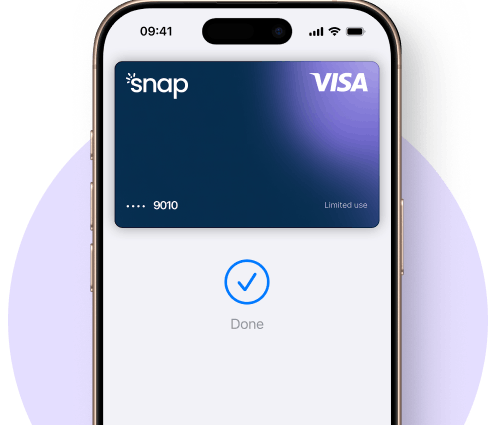
How to use Snap Card on Apple Pay
Snap Wallet App
You can add your Snap Loan Virtual Card to Apple Pay straight from the app—just tap “Add to Apple Wallet”.
iPhone
Adding your Snap Loan Virtual Card to Apple Pay is easy—just open the Wallet app on your iPhone, tap the "+" sign, and follow the instructions on the display.
Apple Watch
You can also add it to your Apple Watch using the Apple Watch app on your iPhone. Simply Select 'Wallet & Apple Pay,' and then tap 'Add Credit or Debit Card.'
Why Apple Pay?
The safe, more private way to pay.

Fast
Save time, every time. Check out faster with Apple Pay.

Secure
Apple Pay uses the security features such as Face ID & Touch ID so only you can authorise payments.

Private
Your card number stays private and secure.
Frequently asked questions
How do I add my Snap Loan Virtual Card to Apple Wallet?
Open your Snap Wallet app and tap “Add to Apple Wallet” from the Home tab, or add it manually through your iPhone’s Wallet app by tapping the "+" button and following the prompts.
You can also add it to your Apple Watch using the Apple Watch app on your iPhone. Simply Select 'Wallet & Apple Pay,' and then tap 'Add Credit or Debit Card.'
Can I add my card to Apple Wallet from the Snap Wallet app?
Yes! Simply head to the Home tab in the Snap app and follow the on-screen steps to add your card to Apple Wallet.
How can I use my Snap Loan Virtual Card with Apple Pay?
Once added, you can use your Snap Loan Virtual Card anywhere Apple Pay is accepted—whether you're shopping in-store or online.
My order using Apple Pay didn’t go through. What should I do?
Ensure you have available balance on your Snap Loan Virtual Card and that the retailer accepts Apple Pay. If everything looks good but it still fails, contact our support team for help.
Don't have a Snap Loan Virtual Card yet?
To use Apple Pay, you need a supported card from a participating card issuer. To check if your card is compatible with Apple Pay, contact your card issuer. Apple Pay is not available in all markets. View Apple Pay countries and regions.
Features are subject to change. Some features, applications and services may not be available in all regions or all languages and may require specific hardware and software. For more information, see Feature Availability.
Apple Pay is a service provided by Apple Payments Services LLC, a subsidiary of Apple Inc. Neither Apple Inc. nor Apple Payments Services LLC is a bank. Any card used in Apple Pay is offered by the card issuer.
Must have an eligible and supported card. Not available in all markets. To use this feature, your card must be NFC enabled and you may need to enter your card’s security code during setup. Software requirements apply. To ensure you have all features of this product, update your iPhone to the latest software version.